

Yotpo Reviews & Dialogue Integration

Yotpo helps online stores collect product reviews. Connect it to Dialogue and your Yotpo star ratings show on the products in your Dialogue assets. Shoppers get instant social proof, which helps them click and buy with confidence.
What you get
Section titled “What you get”- Star ratings on recommendations. Show Yotpo stars on the products inside your carousels and other assets.
- Recommend your best-reviewed products. Use the Yotpo’s Favorites product rule to promote products by star rating, number of reviews and more. Learn more in Yotpo’s Favorites Rule.
Connect Yotpo
Section titled “Connect Yotpo”- In your Dialogue dashboard, go to Settings > Integrations.
- Find the Yotpo card and click Connect.
- You’re sent to Yotpo. Sign in (or, if you’re already signed in, approve Dialogue’s access).
When you’re back in Dialogue, the Yotpo card shows Connected.
Show Yotpo stars on an asset
Section titled “Show Yotpo stars on an asset”- Open the asset you want to add stars to and go to the Design tab.
- Open Rating & Badges.
- Turn on Rate.
- Choose where the stars sit on the product card.
- Save and publish your asset.
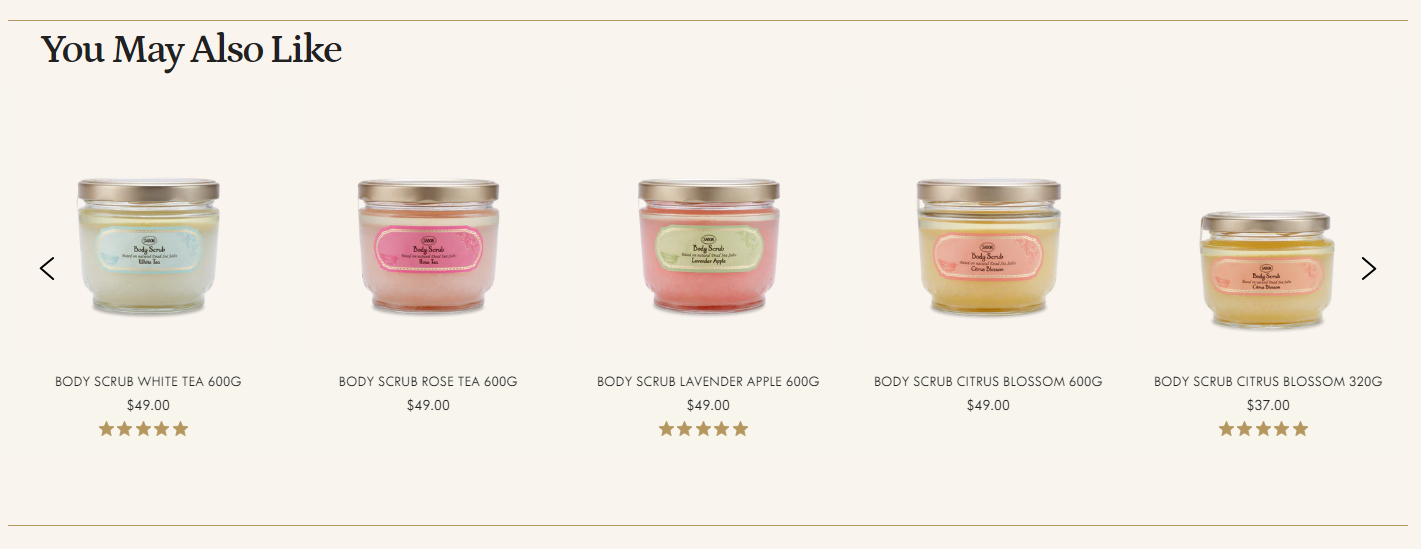
Want to fine-tune how the stars look? You can style them with Global CSS.