Integrating Your Product Feed | Non-Shopify Stores


Dialogue integrates with your store’s feed and pulls your product’s information:
- Product name > Headline
- Product’s SKU and variant SKU
- Product’s price and sale price
- Product’s pack shots
- Product’s category, type, feature, collections etc.
- Stock availability

First Integration of the product feed
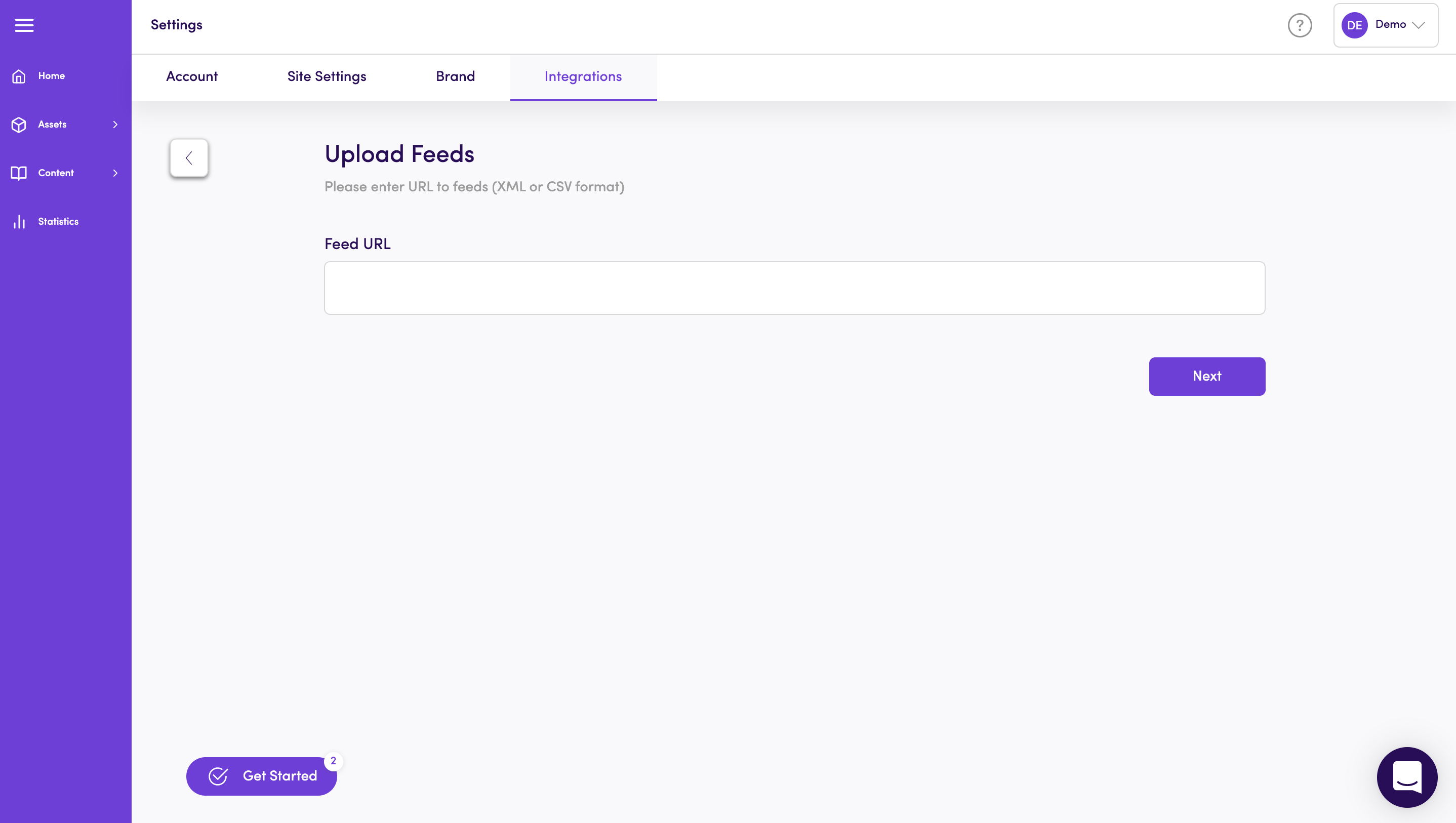
Section titled “First Integration of the product feed”Once on the Dialogue dashboard, go to the Integrations settings and enter your feed URL in an XML format > Next.
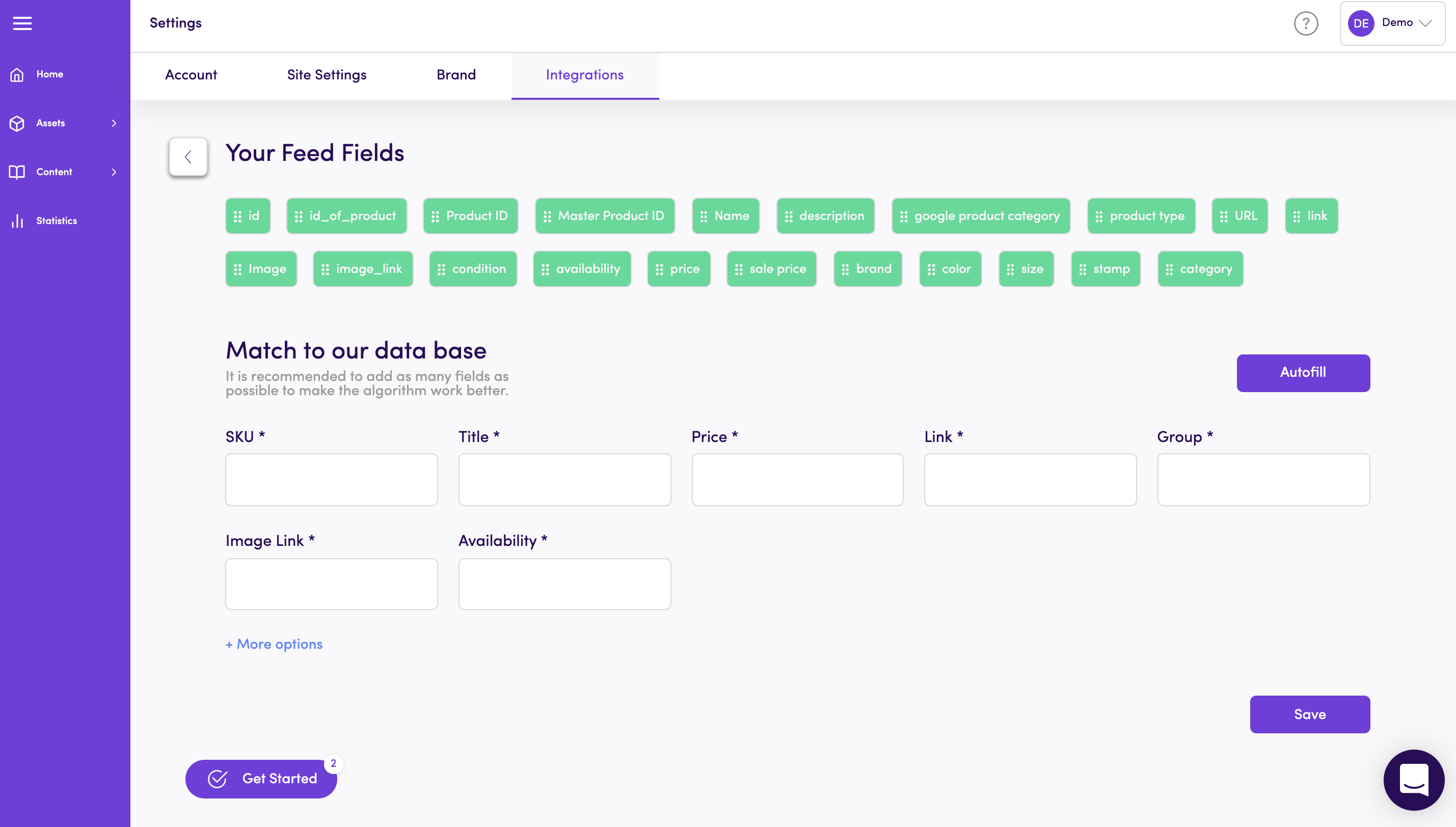
To optimize use of Dialogue’s CRO capabilities - pay extra attention to this step:
Match your feed’s fields to Dialogue’s database. It’s a simple drag & drop, choose your tags and match them to Dialogue fields. We recommend adding as many fields as possible to optimize use of our algorithm.
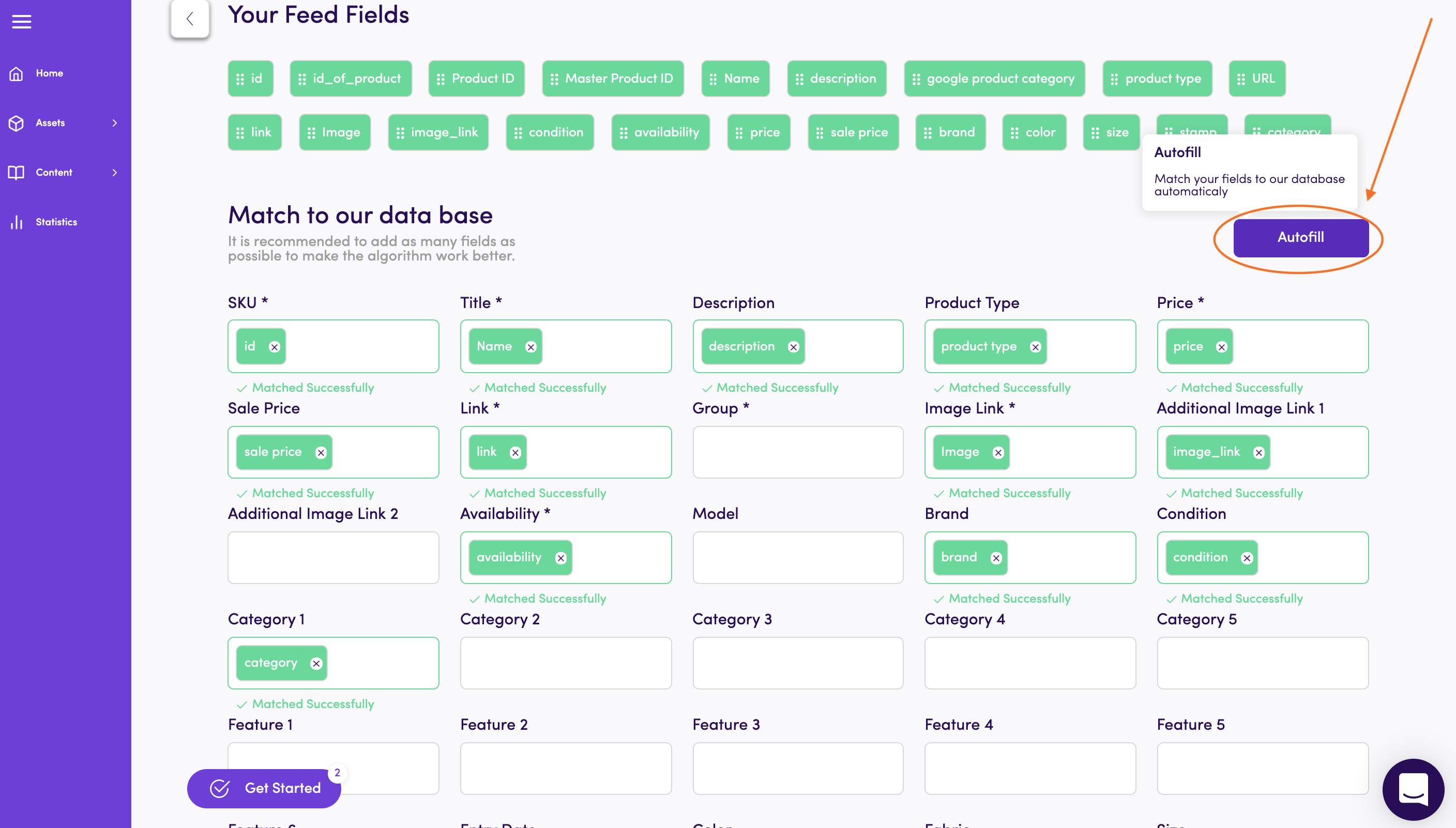
Looking for a short cut? Click Autofill to automatically match the tags to the fields. But note - when using Autofill, review to verify that all fields were matched correctly.
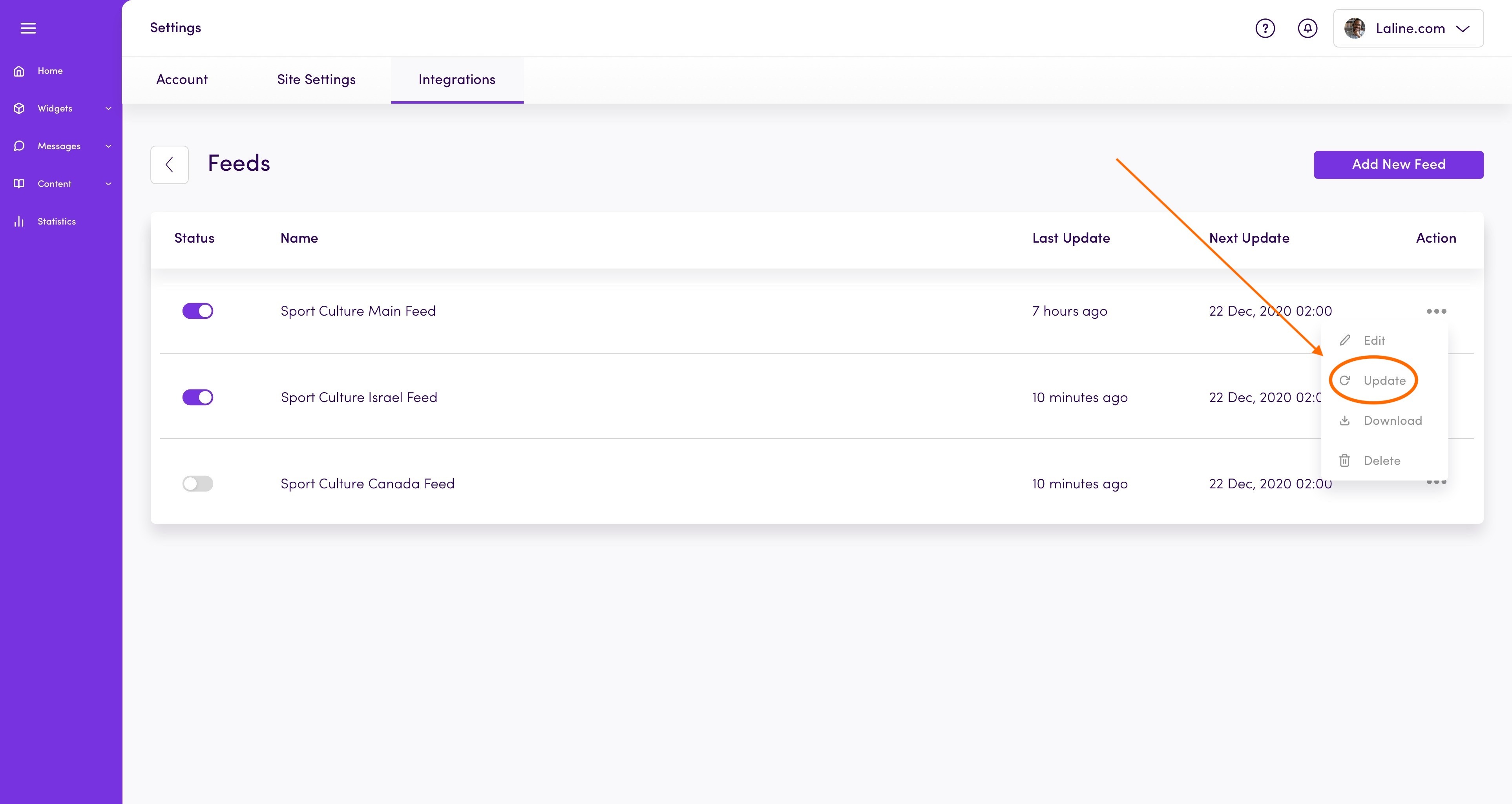
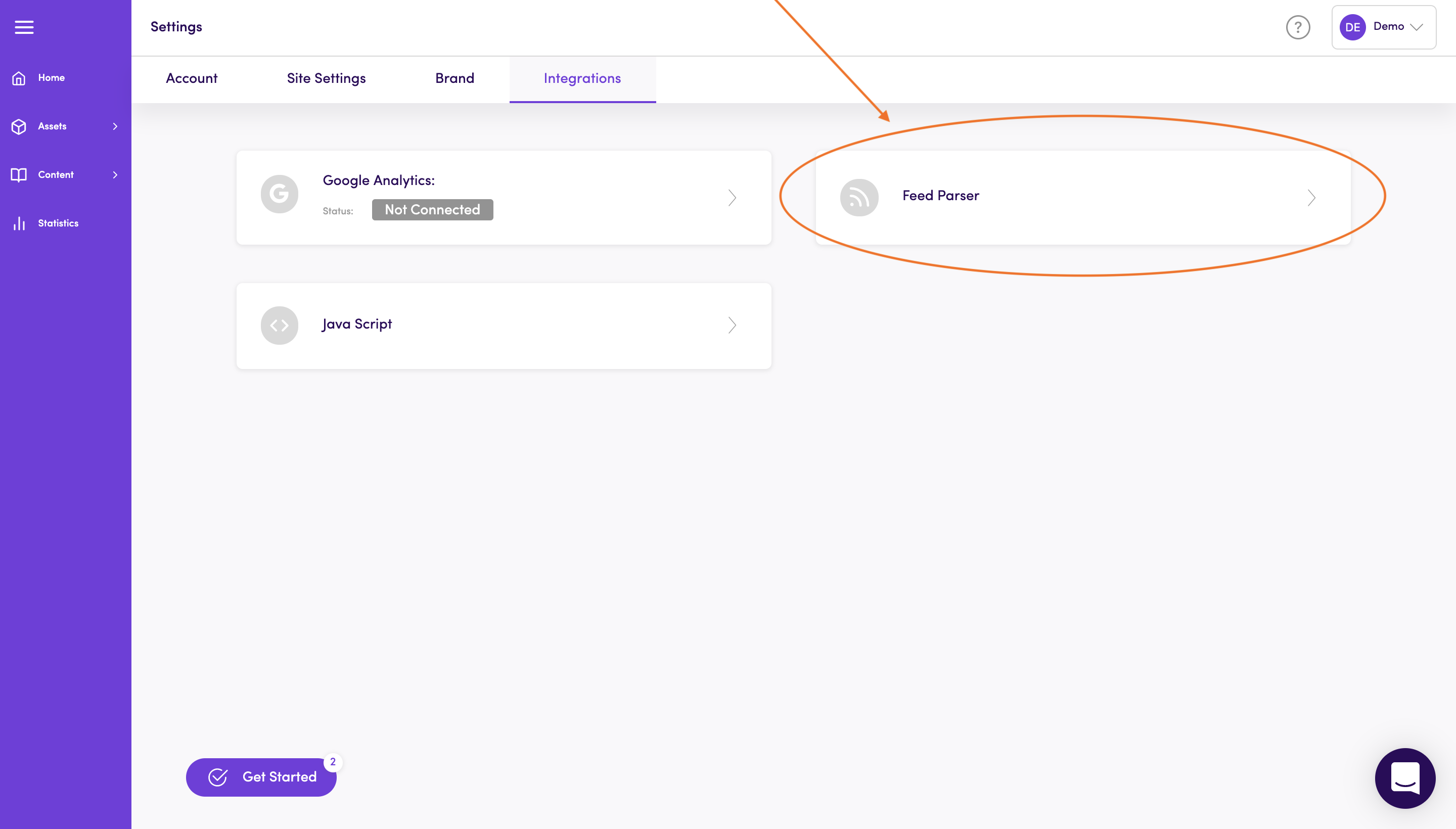
Once you finish connecting the feed, it will be saved in Settings > Integrations > Feed Parser.
You can always edit, update and make changes to your fields.